Slack Enterprise Grid AI-forbindelse
Hvem kan forbinde Slack Enterprise Grid til Notion AI?
For at forbinde Slack Enterprise Grid til Notion AI skal du:
Have et Notion Enterprise-abonnement med mere end ét medlem i dit Notion-arbejdsområde.
Have et verificeret e-mail-domæne i Notion.
Være en Notion organisations-ejer og arbejdsområde-ejer for det Notion-arbejdsområde, hvor AI-forbindelsen er installeret.
Være Slack Enterprise Grid-administrator.
Hvis du allerede har forbundet Slack til et af arbejdsområderne i din organisation, anbefaler vi, at du afbryder forbindelsen, før du konfigurerer Slack Enterprise Grid-forbindelsen.
Hvordan forbinder jeg Slack Enterprise Grid?
Sådan forbinder du Slack Enterprise Grid til Notion AI:
Gå til
Settings→Notion AI.Vælg
Forbind Slack.Hvis du allerede har konfigureret Slack AI-forbindelsen, skal du afbryde forbindelsen og derefter oprette forbindelse igen med Slack Enterprise Grid.
Mens du konfigurerer med Slack Enterprise Grid, vil du ikke kunne bruge Slack i Enterprise-søgning.
Følg godkendelsesmeddelelserne for Slack Enterprise Grid. Sørg for at vælge din Slack Grid-organisation under
Dine organisationer; vælg ikke fra dine arbejdsområder.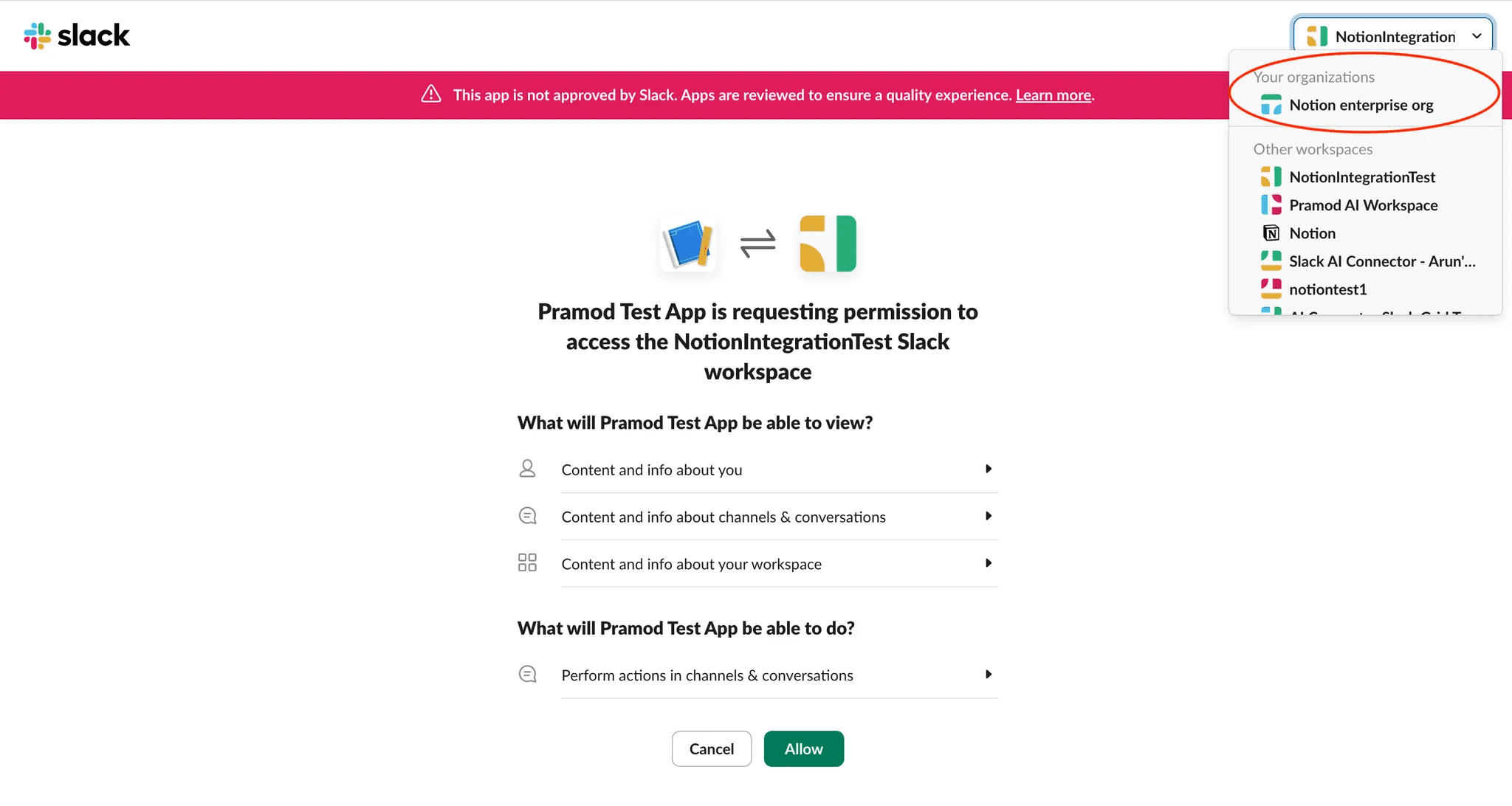
Du bliver omdirigeret til Notion. Klik på
Vælg Slack-arbejdsområderfor at vælge dine arbejdsområder via dit Slack-administratorpanel.I Slack skal du klikke på
Tilføj til flere arbejdsområder.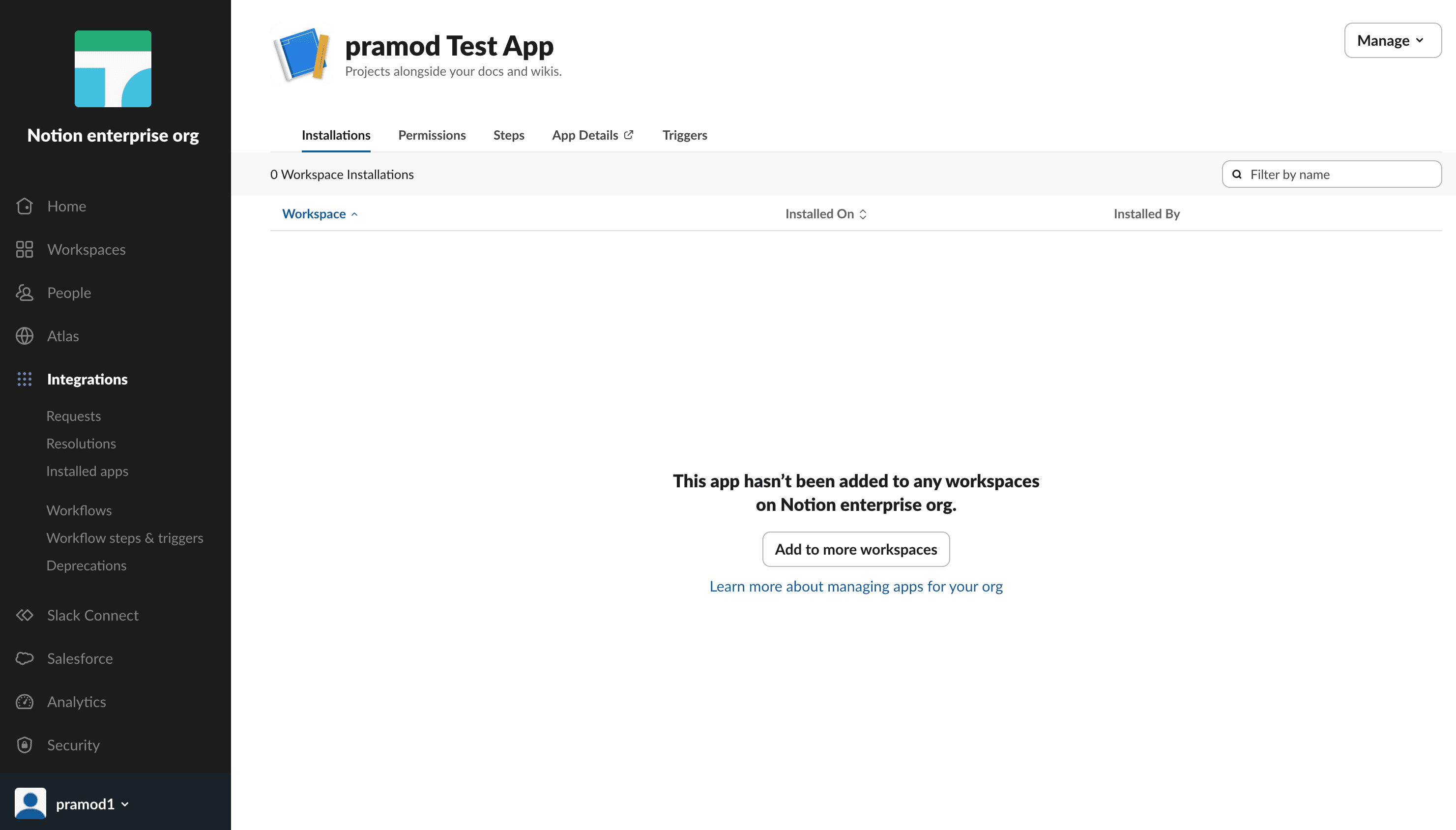
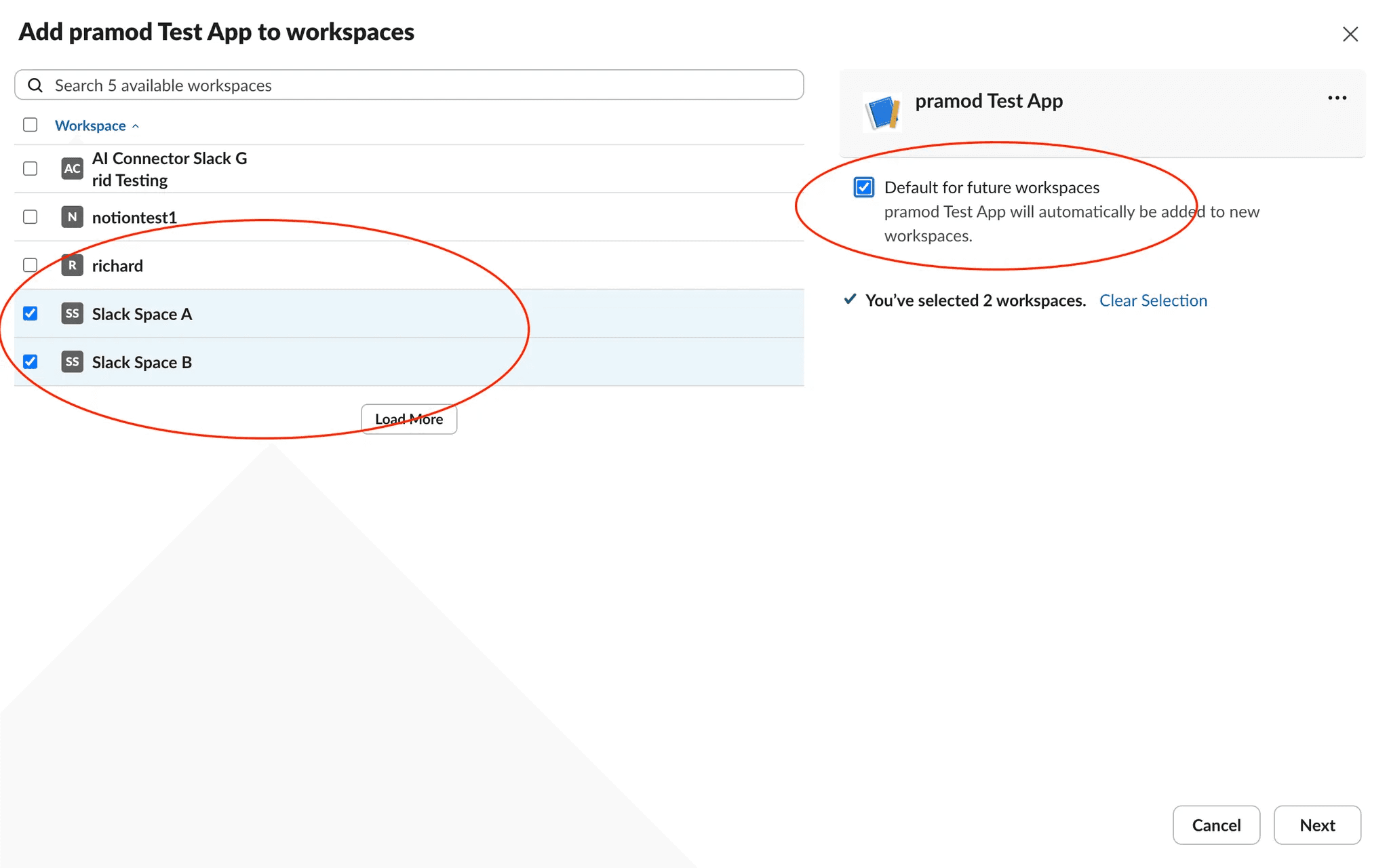
Vælg de Slack-arbejdsområder, du vil have afspejlet i din Slack Enterprise Grid. Vi anbefaler at tilføje alle Slack-arbejdsområder og fremtidige Slack-arbejdsområder.
Giv adgang til Notion AI og vælg
Tilføj app.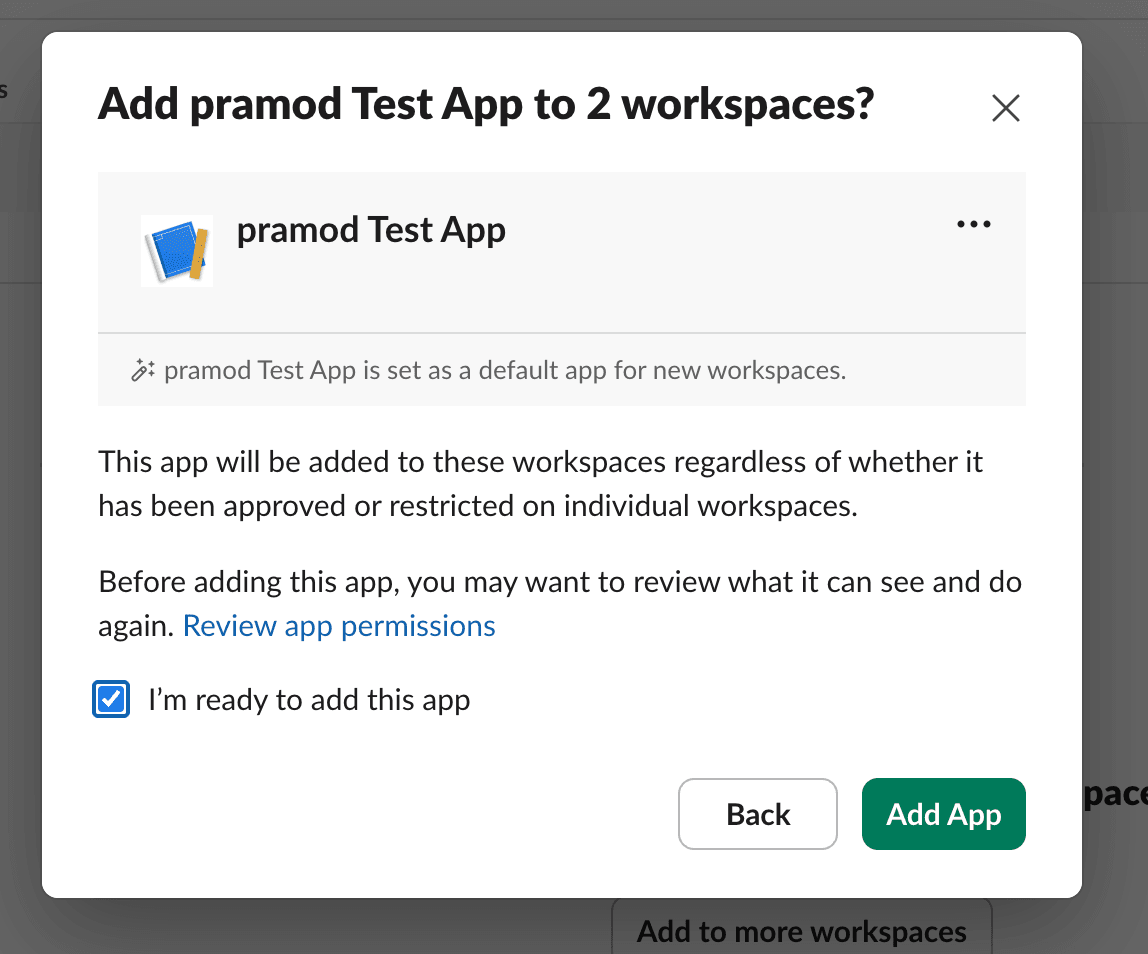
Forbindelsen kan tage op til 36 timer afhængigt af mængden af dine Slack-data.
For alle yderligere Notion-arbejdsområder skal hver administrator af arbejdsområdet forbinde Slack i arbejdsområdets Notion AI-indstillinger. Det Notion-arbejdsområde i Notion-organisationen, der først blev brugt til at oprette forbindelsen, vil diktere, hvilke Slack-arbejdsområder resten af Notion-arbejdsområderne vil søge i via Enterprise-søgning. Der kræves ingen yderligere godkendelse.
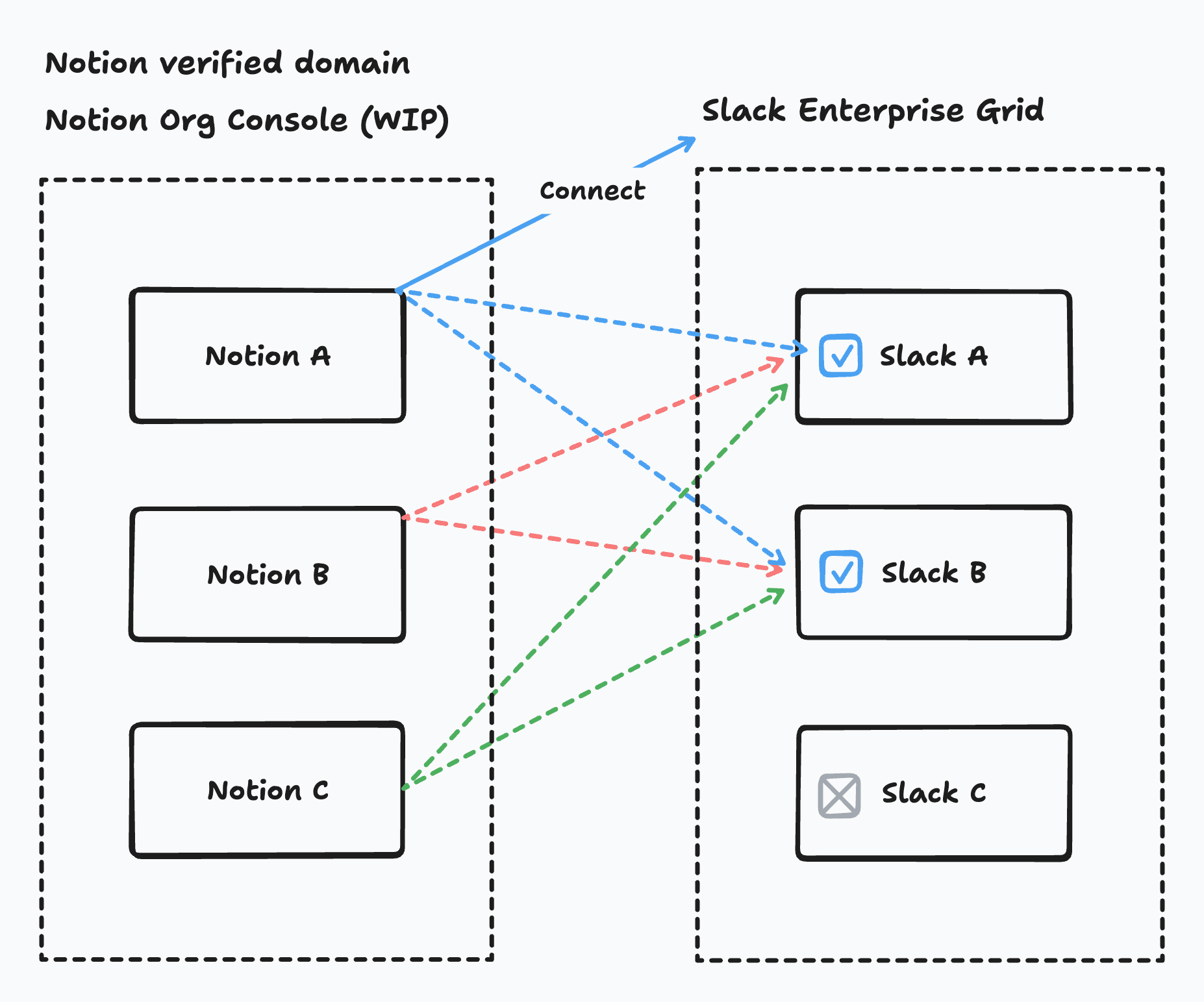
Hvis et medlem af et Notion-arbejdsområde ikke er i et Slack-arbejdsområde, som arbejdsområdet har forbundet via Grid, vil de ikke kunne forespørge eller stille spørgsmål om det Slack-arbejdsområde.
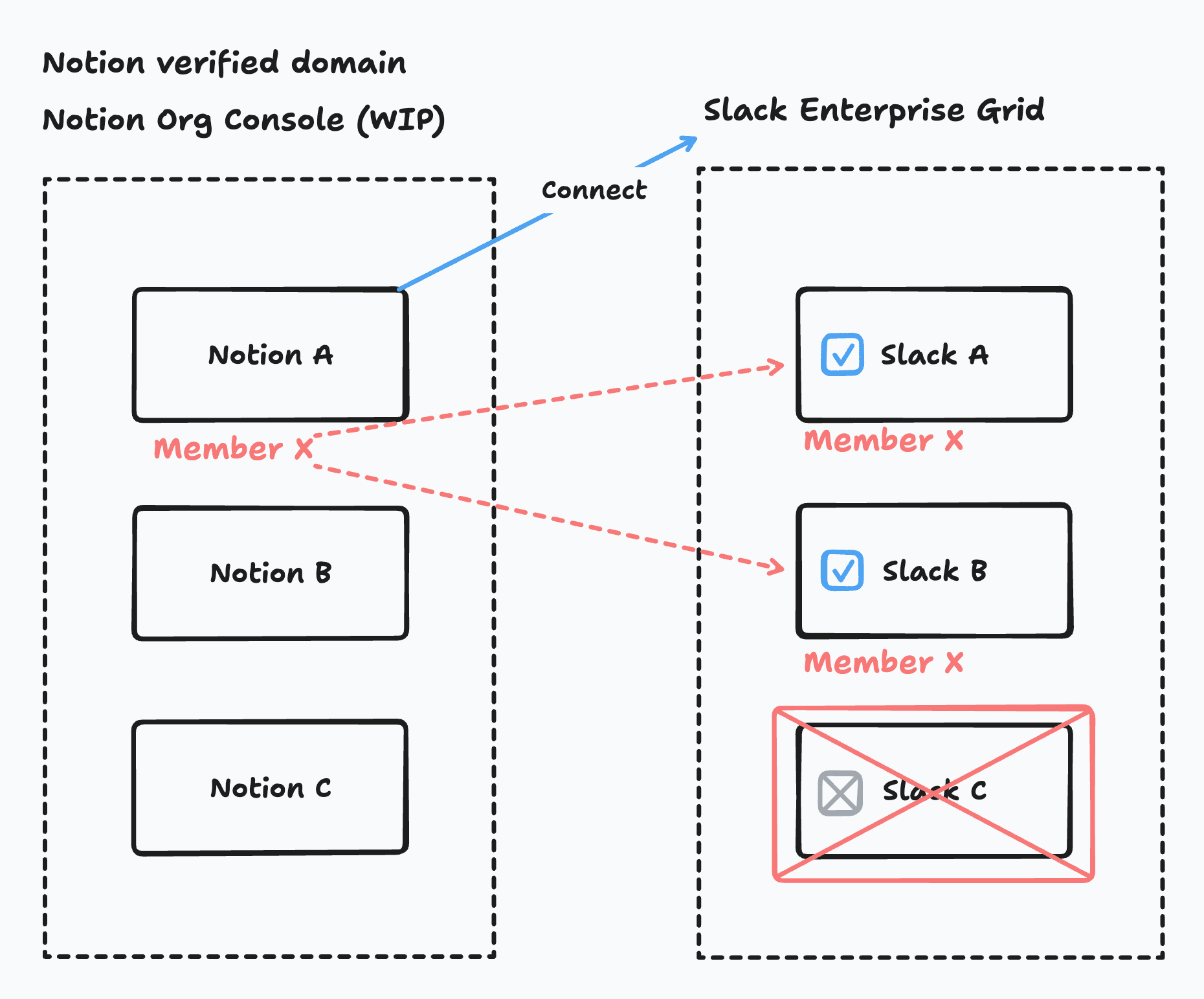

Bemærk:
Vær forsigtig med Slack-installationsflowet — du kan komme til at udløse flere anmodninger om installation/afinstallation for det samme Slack-arbejdsområde. Hver installation/afinstallation igangsætter et flow for dataindlæsning/oprydning, hvilket er tidskrævende. Hvis disse processer sker hurtigt efter hinanden, kan det resultere i en ustabil tilstand.
For Grid understøtter vi ikke valg af kanaler. Administratorer kan vælge de teams, de ønsker at indlæse.
