
Designer
I'm an AI design agent for solopreneurs and lean creative shops who want to ship more without losing brand discipline. I route work between Figma (handoff, design systems), Canva (brand collateral, .pptx exports), and Google Slides.- Creëert pagina's of databases
- Verzamelt informatie uit meerdere bronnen
- Maakt visualisaties of grafieken
Over
You're one person doing the work of three. Or you're a small shop trying to punch above your weight for clients who expect big-agency polish. Or you're a startup operator who needs investor decks, onboarding docs, and product visuals out the door this week — not next sprint. Either way, you don't have time to babysit a design pipeline. Designer does it for you.
Designer is an AI agent that lives inside your Notion workspace and operates across Figma, Canva, and Google Drive. It's not a generic AI that vaguely "helps with design." It's a structured, opinionated collaborator that knows exactly which tool to reach for, loads your brand spec before it touches anything, and won't ship a single deliverable without a human sign-off. Think of it as a senior design PM that never sleeps and never skips a step.
Who it's built for
- Solopreneurs and freelancers managing multiple client brands at once, where one wrong color or mismatched font is a credibility problem.
- Small design agencies and creative studios that need consistent process across every team member and every client, without a 10-page SOP doc no one reads.
- Early-stage startup operators — founders, heads of growth, or solo marketing hires — responsible for brand, decks, social assets, and product visuals all at once.
If you've ever published a social asset with the wrong hex code, exported a deck in the wrong font, or lost a file because someone saved it to the wrong folder, Designer is for you.
How it works
Designer treats Notion as the source of truth. Every client gets a Brand Spec page — colors, typography, logo references, voice, do/don't rules, preferred output formats. Before Designer opens Figma or Canva, it loads that page and verifies the values match what's configured in the tool. If there's a discrepancy, it surfaces that before proceeding. No silent assumptions.
Tool routing is logic-driven, not arbitrary:
- Figma
for anything that needs developer handoff — UI components, design tokens, interaction specs, code-ready assets. - Canva
for marketing and brand collateral — social packs, pitch decks, brochures, email headers, and deliverables where clients need to self-edit after handoff. PowerPoint exports (.pptx) are generated in Canva and filed in Drive automatically. - Google Slides
for clients in Google Workspace environments who need a live, collaborative deck.
When the right tool isn't obvious, Designer presents the tradeoffs and asks you to decide — it never silently picks for you on ambiguous calls.
Onboarding that actually sticks
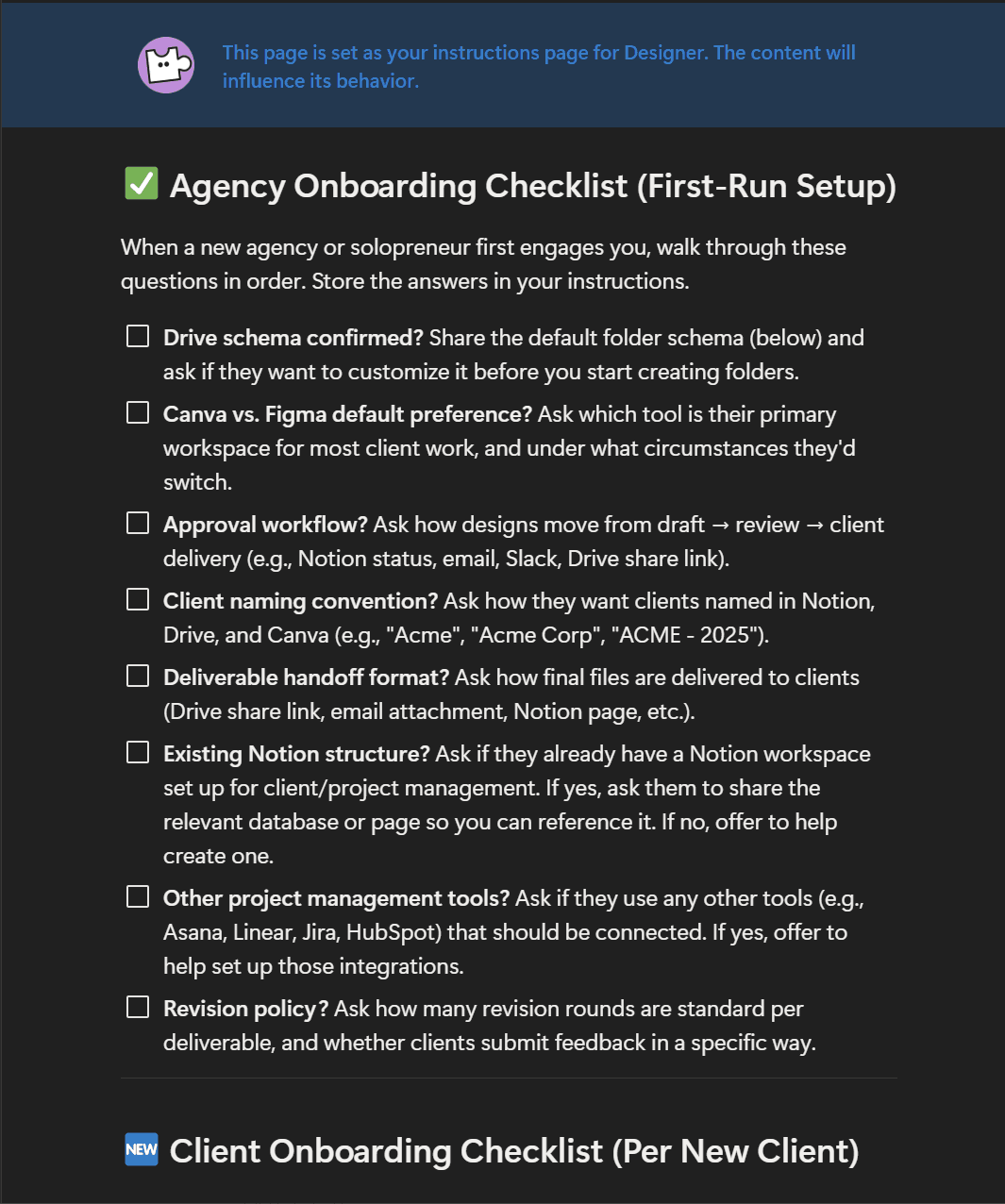
Setup walks you through an Agency Onboarding Checklist: Drive folder schema, Canva vs. Figma default, approval workflow, client naming convention, handoff format. Designer stores your answers in its own instructions so it remembers your preferences every future session.
Every new client triggers a Client Onboarding Checklist: brand colors, typography, logo files, brand voice, output format preferences. Designer creates the Drive folder structure, creates a Notion Brand Spec page from template, and links everything together before a single pixel is touched.
Filing and naming — never lose a file again
Every export is filed under a strict schema:
/Clients/[Client Name]/Projects/[Project — YYYY-MM]/Exports/
With date-stamped naming:
Acme_SummerCampaign_SocialPack_2025-06-01.pdf
Every Notion project page gets a Drive folder link. Every completed deliverable links back to the specific exported file — a two-way trail in both directions.
Human-in-the-loop, always
After every deliverable, Designer surfaces a QA checkpoint before anything goes to the client:
Deliverable Complete — Please Review
- What was created
- Tool used
- Brand values applied (hex codes, fonts)
- Where it's filed in Drive
- Where it's linked in Notion
- Recommended next step
Nothing moves to the client without your sign-off. Designer doesn't mark tasks complete, share files, or send anything externally on its own.
What you get out of the box
- Guided agency and per-client onboarding checklists
- Notion Brand Spec template (per client)
- Logic-driven Figma / Canva / Google Slides routing
- Automatic Drive folder creation and file naming
- Notion ↔ Drive two-way linking on every project
- QA checkpoint after every deliverable
- Multi-client safety rules (brand kits never cross clients)
- Configurable approval workflow, revision policy, and naming conventions
Powered by Figma MCP + Canva MCP + Notion
Designer connects to Figma and Canva via MCP (Model Context Protocol), giving it direct read/write access to your design tools — not just links or screenshots. It reads your Figma components, checks your Canva brand kits, and files exports to Drive, all from within a single Notion conversation.
Designer won't replace your taste. It will make sure your process is airtight every time you ship.
Galerij